Every talk, captioned live
in your guests' languages.
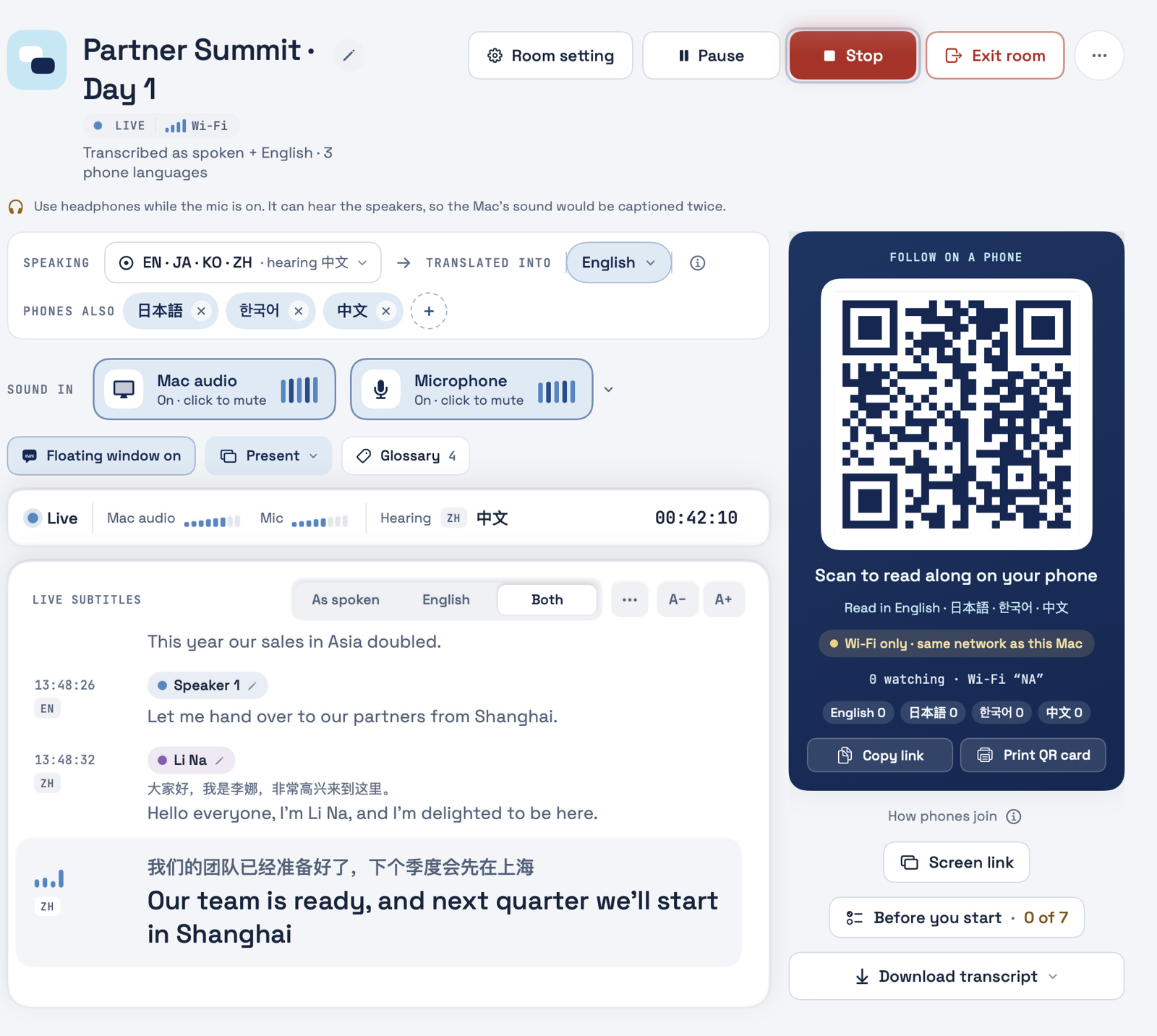
Glacier captions your speakers live and translates every line onto the venue screen and each guest's phone. Guests scan a QR code and read in their own language.
- 60 languages
- Phones join by QR
- Breaks are free
- Conferences
- Product launches
- Town halls
- Trade shows
- Training days
- Press briefings
Interpreters cover two or three languages. Your guests speak more.
Booths and interpreter teams need weeks of lead time and a budget line of their own, so most events offer English and one other language.
Glacier runs from one Mac. Plan it the day before, press Start when the first speaker walks on, and every guest reads along in their own language.
Three steps, and your guests are reading.
-
1
Set up the room
Quick start for one talk, or plan every day and session ahead. Add names and brands to the glossary.
-
2
Press Start
Glacier listens through your Mac, captions each line and translates it. Pause for breaks and the clock stops.
-
3
Guests scan the QR
Captions appear on the big screen and on every phone. Each guest picks a language.
Your speakers talk in their language.
Every guest follows along in theirs.
Built for a full day on stage.
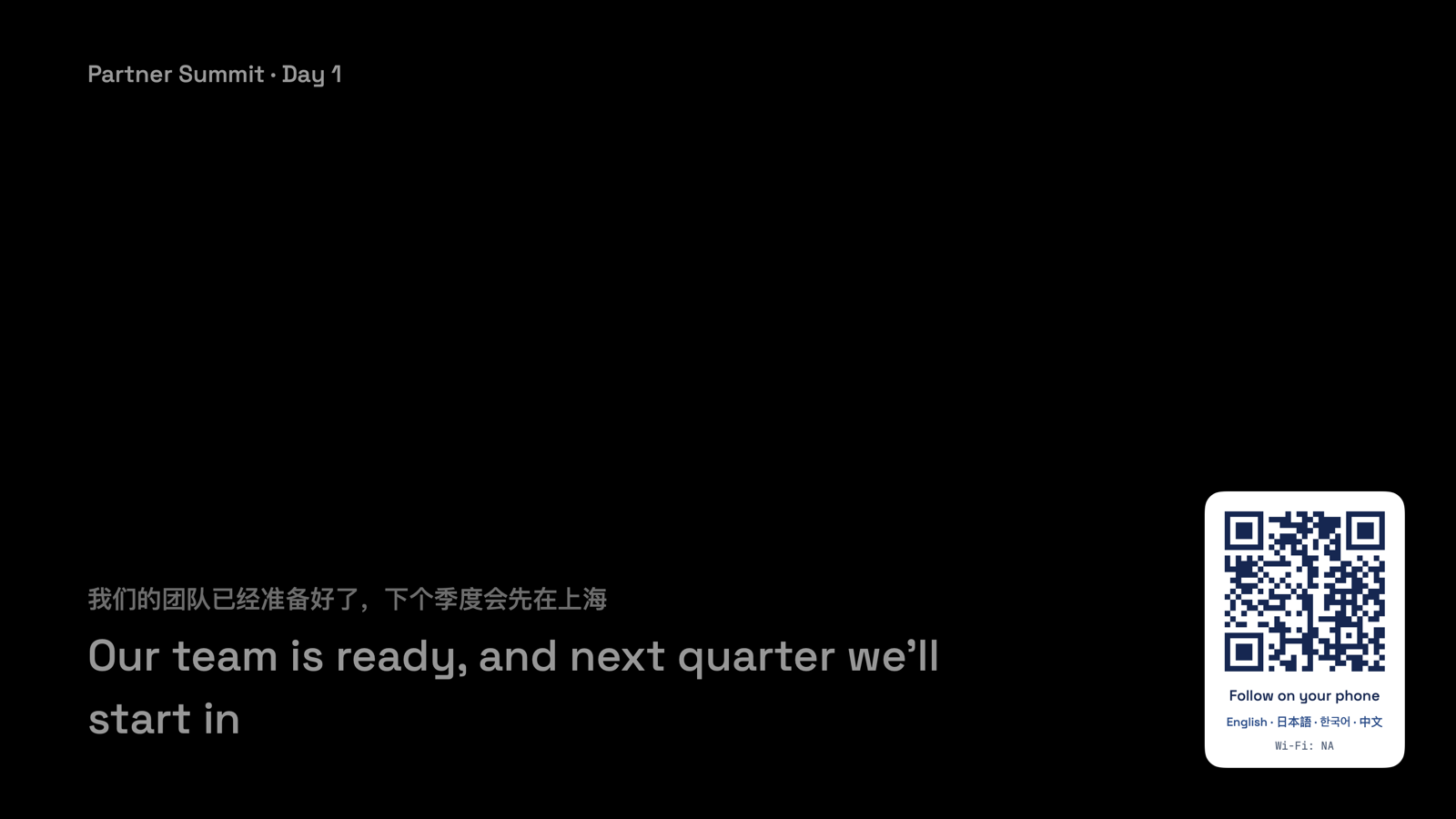
Captions on the big screen
Large captions on a projector, or on any venue computer and your livestream through a screen link.
- As spoken, translated, or both
- A QR code in the corner so late arrivals can join
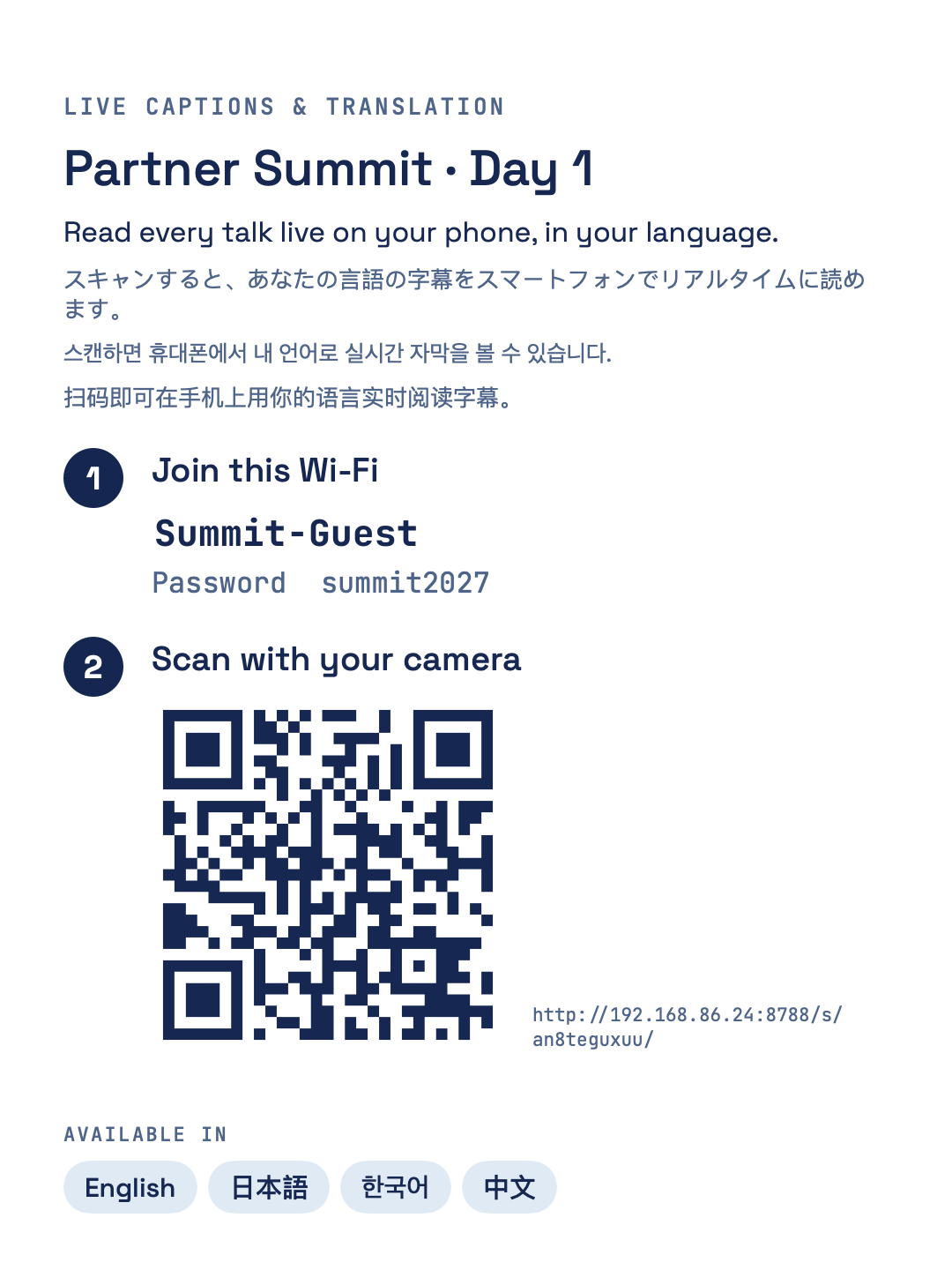
Every phone becomes a caption reader
Put the QR card on each table or on your slides. Guests read every talk live in their phone's browser.
- Works on venue internet or mobile data
- Read aloud with the phone's own voice
-
60 languages, both ways
Including Mandarin, Japanese, Korean, Bahasa, Thai, Vietnamese and Tagalog, even when a speaker switches mid talk.
-
Names spelled right
Add speakers, products and brand terms once, and choose how each one is translated.
-
One QR for the whole programme
Guests keep the same link all day, and breaks show when you will be back.
-
Keeps going when things go wrong
If the internet drops, phones on the Mac's network keep reading. If the speech service fails, a backup takes over.
-
Pay only for time live
Hours are shared across your events and Macs. Pauses and breaks are free.
-
A transcript after every talk
Saved on your Mac with speaker names, ready for minutes and press notes.
Try Glacier at your next event. The rehearsal is free.
We are running a small number of pilot events in Asia Pacific. We rehearse with your speakers and venue sound first, so you see the captions before your guests do.
Book a free rehearsalWhat organisers ask us.
What do I need on the day?
A Mac on macOS 26 or later, internet, and the venue sound or a microphone near the speaker.
Do guests need to download an app?
No. Guests scan the QR code with their camera and read in the phone's browser, without signing up.
How many languages can one event offer?
One translation on the big screen, plus three more on phones at no extra cost. Need more? Tell us when you register.
How accurate is it?
It is AI speech recognition and translation, so expect the occasional slip. A glossary of names and terms helps most. For legal or medical proceedings, book a certified interpreter.
What happens if the internet drops?
Phones on the Mac's network keep reading and go back online by themselves. If the speech service fails, a backup takes over.
Is the audio recorded?
We do not keep recordings. The transcript is saved only on your Mac.
Can captions go on the livestream?
Yes. The screen link is a captions-only page with a clear or green background for your streaming software.
How is it priced?
You buy hours of live captions ahead and share them across events and Macs. Register and we will send prices for your region, including monthly invoicing.
Tell us about your next event.
We will reply with prices for your region and a date for your free rehearsal.
- No payment details
- Takes under a minute
You are on the list.
We will email you prices and a rehearsal date.